

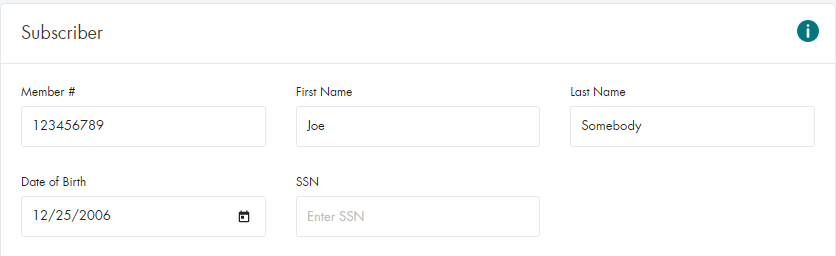

Overview
Eligibility Inquiries are the most common transaction submitted in the HEALTHeNET (HeN) application.
Following is a step by step walkthrough of performing an eligibility inquiry.
Quick Notes
Submitting a Basic Eligibility Inquiry (Nova)
Submitting a Basic Eligibility Inquiry (NY Medicaid)

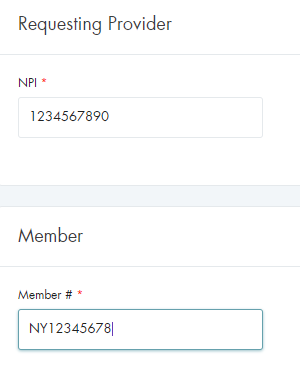
Submitting a Basic Eligibility Inquiry (All Other Payers)

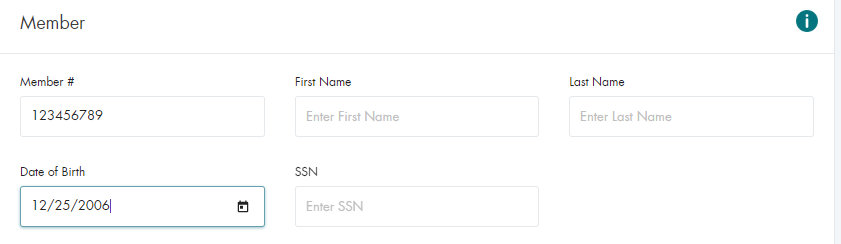
Submitting a Basic Eligibility Inquiry (Dependents)
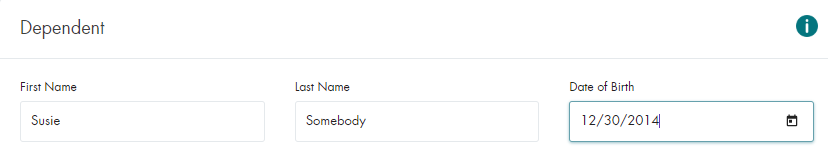
Submitting a Basic Eligibility Inquiry (All Payers)
Note: Commonly referred to as All In List and excludes Nova and Medicaid because of submission volume restrictions


Verifying the Returned Data
When an inquiry is submitted, there are three possible results, depending on the inquiry options selected and
the outcome of the returned results. The Benefit Detail page, the Response Summary page,
and the Rejected Result page.
Request to Single Payer
If the request was for a single payer, the benefit response screen will be returned.
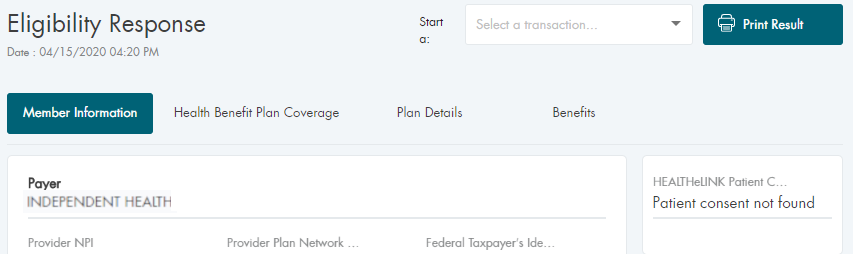
All Payers Option Selected in the Drop-Down
If the request was for All In List, the response summary screen will be returned.
The summary will contain both the positive and negative responses from the payers.
An individual positive response is then selected to view the details.


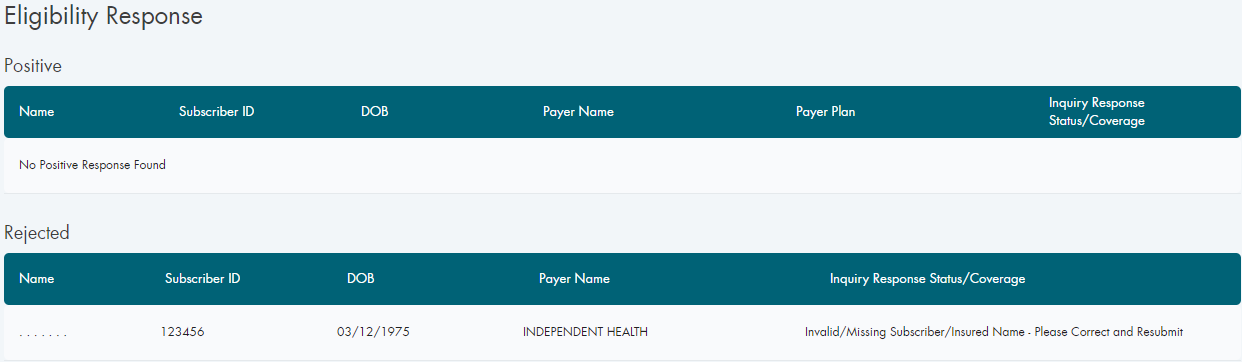
Reject by the Payer
If the inquiry returns a rejected response from the payer, there should be an accompanying explanation.
Conclusion
This document covers the vast majority of use cases for the Eligibility Inquiry screen
and the required fields for each.
There are additional request fields included on the inquiry screen, however they are all optional.